Clip Layers Structure tab
The Clip: Layers Sructure tab regroups options dedicated to the export of your Clip's content so it can be imported and processed in other software later on.
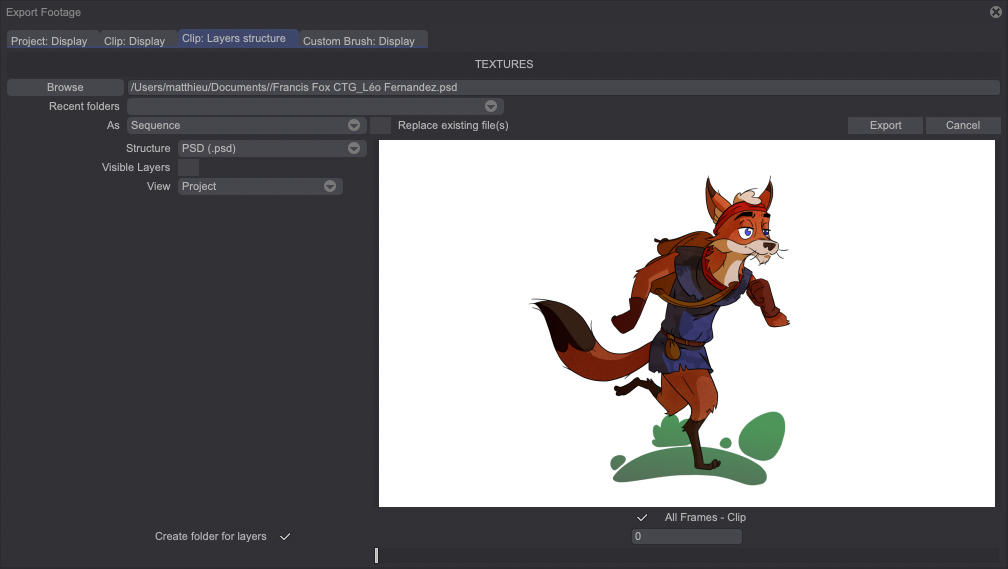
Below is an overview of the various export formats (Structure) available.
A specific section of the user manual is dedicated to the JSON export, which is explained in great detail. It can be found in the subsequent pages of the manual.
The old TVPaint Project format (TVP)
Use this export format if you intend to open your work in a TVPaint Animation version which is older than version 9.5 (released in September 2009, and which uses the .tvp format instead of the current .tvpp one).
.PSD format
Exporting a Project to .PSD format from the Project or Clip tab, exports a single image (or an image sequence) with all the Layers merged and no transparency. Should you want to export your Project and its Layers unmerged, you will have to use the PSD. export from the Layers Structure tab. Three different modes are available:
- Single Image: a single image from your Project will be saved as a .PSD file. If that image was made of several Layers, all of their Instances at the same position than the selected image will be exported as well.
- Sequence: each image will be saved as a .PSD file. If that image was originally composed of several Layers, the .PSD file will keep all the Layers. Transparency is also preserved.
- All Layers and Frames: all Layers and all images that compose your Project will be exported in a single file. Each element will be saved as a Layer and transparency will be preserved.
You can check the Visible Layers option in order to export the visible Layers only.
.CSV format
The .CSV format generates a .CSV file (readable with Open Office or Microsoft Excel) and an image folder which regroups the first image of each Layer's Instances. Each image has a name and a number (do not change them!). Combined with the .CSV file, you will be able to know the order in which those images are appearing, just like with a traditional XSheet.
Flix (Professional Edition only)
You can use this option to export the structure of your Clip in order to import it into Flix which is a pre-production application developed by The Foundry and designed for collaborative work. This export will result in a .XML file and .PSD files (one file for each image of your Clip with all of your Layers being kept).
The Send checkbox will allow you to send the resulting .XML file automatically to your server.
Sprite Generator
TVPaint gives you the ability to generate a spritesheet from your current Clip: all the Layers of your Clip will be merged to create a spritesheet (Sprite Generator). You can also choose the shape you want the spritesheet to take by using the following options:
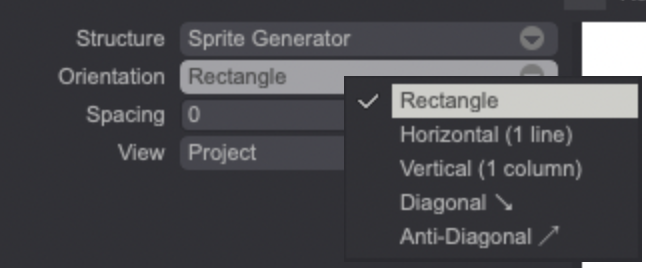
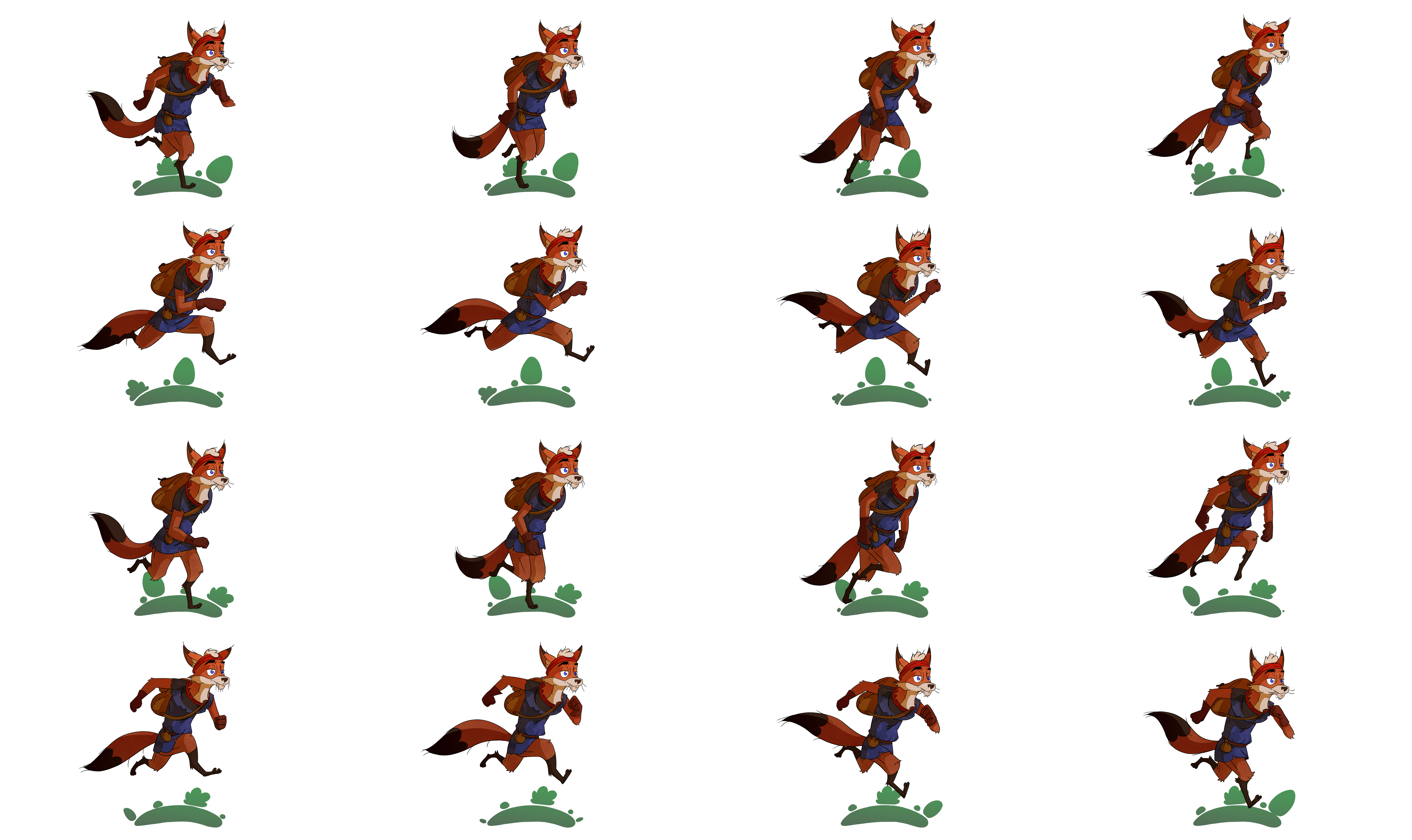
- Rectangle: generates a rectangle spritesheet. The first image of your Clip will be displayed on the upper-left corner of the rectangle:
- Horizontal (1 line): creates an horizontal spritesheet. The first image of your Clip will be the first one displayed on the left.
- Vertical (1 column): creates a vertical spritesheet. The first image of your Clip will be the first one displayed at the top.
- The Diagonal and Anti-Diagonal options allow you to create spritesheets with a diagonal or anti-diagonal layout.