The TVPX file format
It is possible to export a Custom Panel as a TVPX file.
This file format allows you to share your custom Tools saved in a Custom Panel: brushes, plugins, scripts saved inside the exported Custom Panel will be compacted into one simple TVPX file:
Saving a Custom Panel
Once you are ready to share your Custom Panel, right-click on one of its empty areas and select the This Panel > Export As TVPX... option:
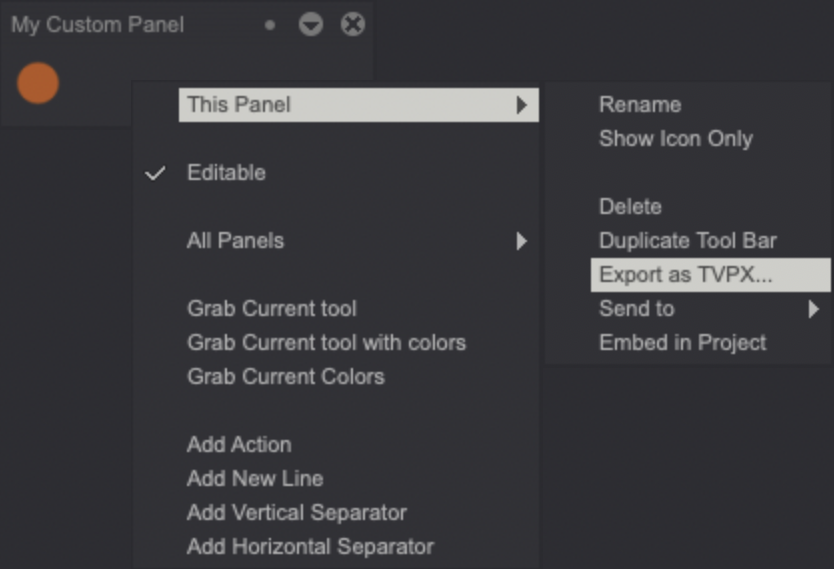
A new modal window will pop up for you adjust some export settings:
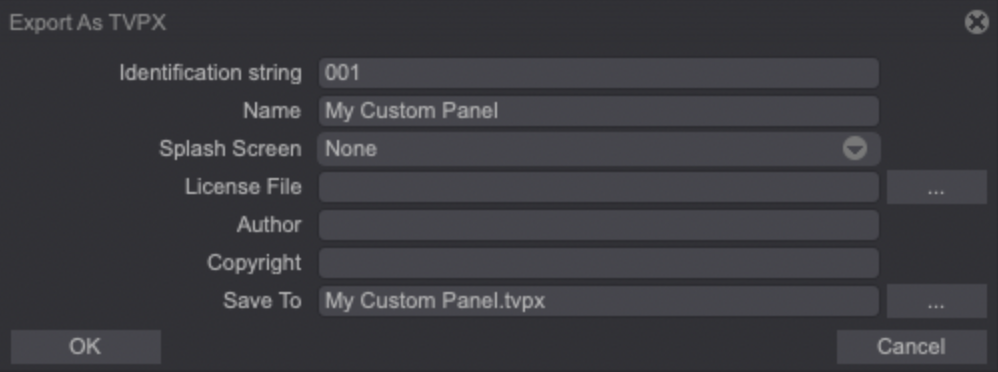
- The first field is an unique name used during the export. It has an internal use in the TVPX file.
- The Name field’s value will be displayed during the installation of the TVPX file. By default, it will correspond to your Custom Panel’s name.
- The Splash Screen image will be displayed during the installation of the TVPX file. The options available are:
- None: no image will be displayed.
- Current Image: the Project's current image will be used.
- Custom Brush: the current Custom Brush's image will be used.
- Grab Custom Panel: uses the Custom Panel's preview as an image.
- The License File field let you upload a text file to display the Panel's license during its installation.
- The Author's name of the TVPX file, and its Copyright.
- And finally, the location to save the TVPX file (Save To).
Once you have ajusted the export settings, click on the OK button to save the file.
Loading a previously exported Custom Panel
Loading a previously exported Custom Panel is easy: just drag and drop it into TVPaint's interface.
A modal window displaying information about the TVPX file you are about to load should appear (if information about its author, copyright and license file has been completed before the Custom Panel's export):
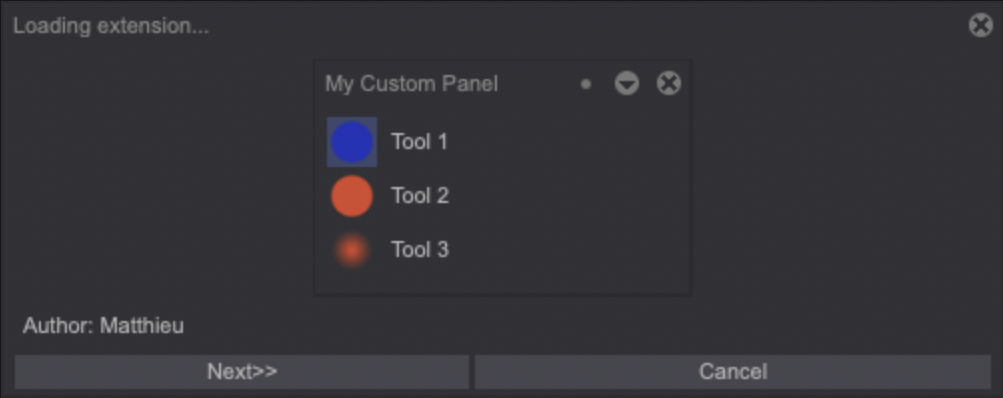
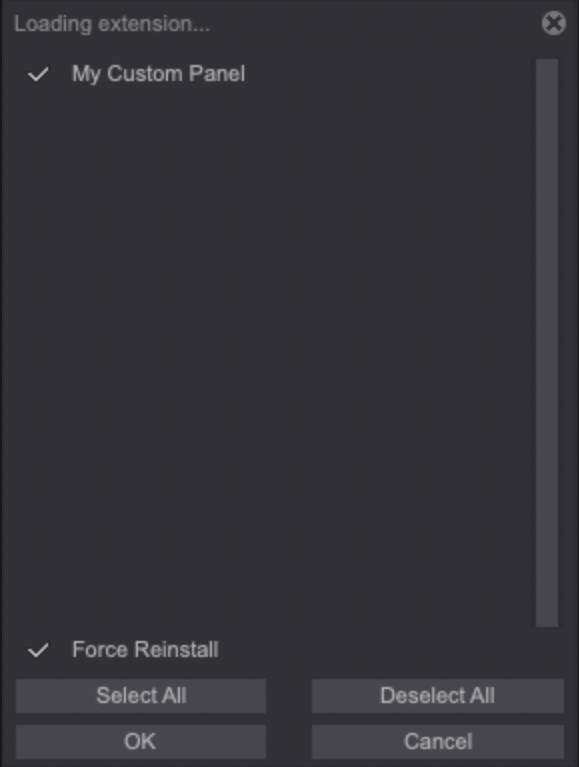
Click on the Next button to proceed to the loading window and click on the OK button to load the Custom Panel: