Network installation (servers only)
The following information only applies if you intend to use TVPaint with a server and client computers. It is intended for schools and studios which want to rely on a floating licenses setup. Please do not follow those instructions if you intend to install and use TVPaint on a single, local computer.
The WIBU licensing system allows you to activate your licenses on a machine acting as a license server across your school or studio’s network. Below are the configuration steps for this type of installation.
Please note that such a system requires the CodeMeter application (automatically installed along TVPaint) to be installed on both the server and the clients. Do not uninstall it after following the steps below.
From the server side
First, install TVPaint on your server: CodeMeter should be automatically installed along with it. Once it’s done, go to your License Admin Page and activate the licenses on your server. For more information on the installation process, please refer to our installation pages.
Server configuration
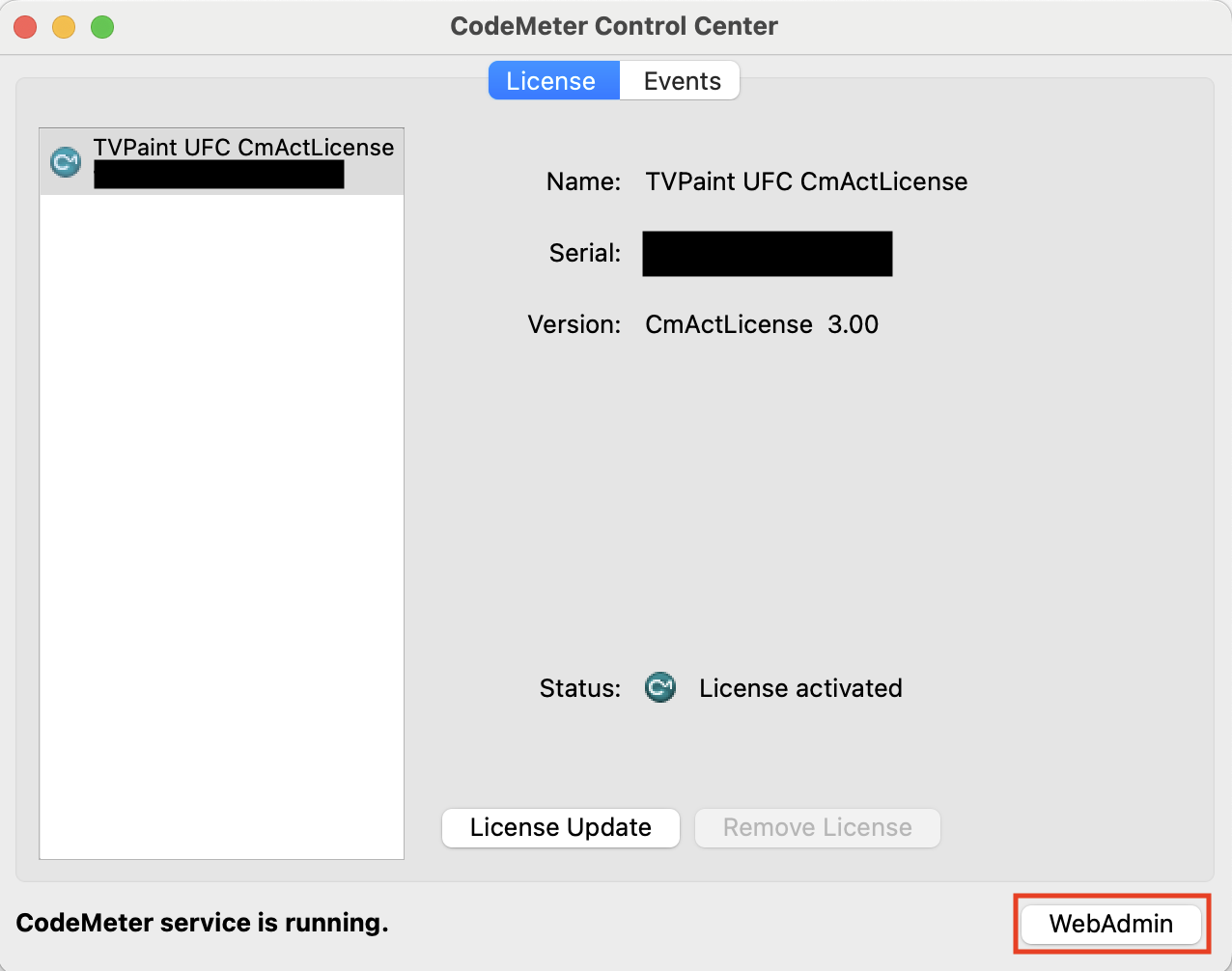
By default, the clients should be able to detect the server’s licenses if they are on the same network. However in some cases, a special option has to be enabled on the server so it can be detected by the clients. This can be done by opening the CodeMeter window on the server, then clicking on "Web Admin":
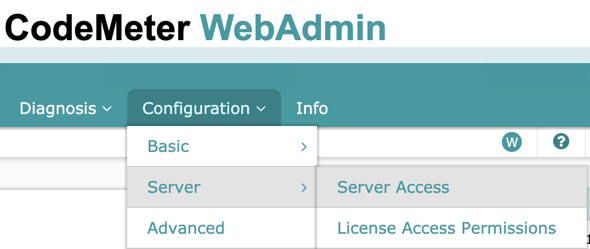
On the WebAdmin page, go to Configuration > Server > Server Access.
From there, you can enable the "Network Server" option to open a port for the client machines to access the licenses.
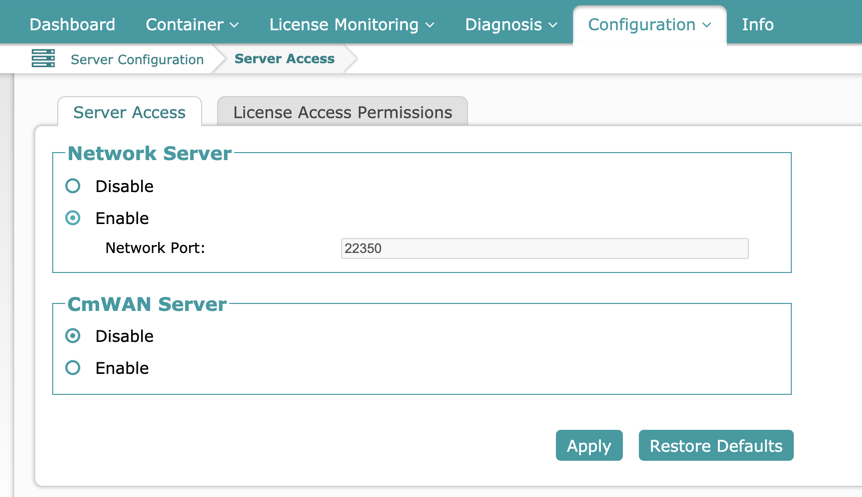
Sometimes, you may also have to add rules to your server’s firewall for the system to work. You can add two rules for CodeMeter on port 22350: one should bet set to authorise communication using UDP and the other one to authorise communication using TCP.
From the client side
First, install TVPaint on your client machines (CodeMeter should be automatically installed along TVPaint). For more information on the installation process, please refer to our installation pages.
If CodeMeter is installed and running on the client, it should be able to automatically detect an available license across the network. TVPaint should then run as expected.
However in some cases, the clients will have to know the exact IP address of your server. This can be done by opening the CodeMeter application on the client, then clicking on Web Admin:
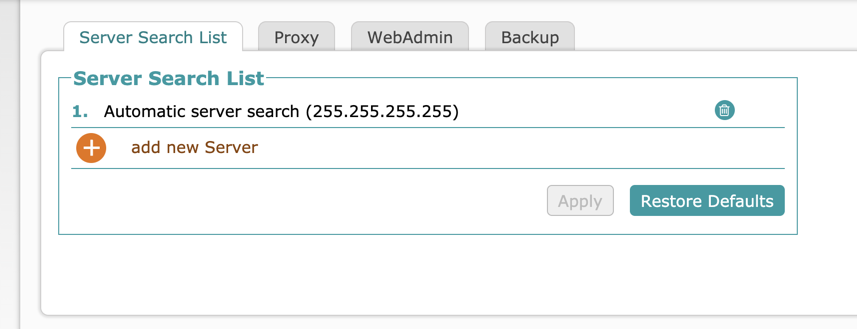
On the WebAdmin page, go to Configuration > Basic > Server Search List:
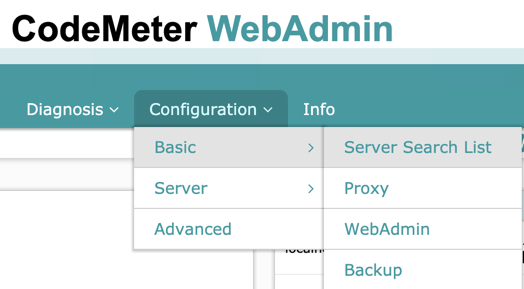
From there, you can manually add IP addresses to look for licenses on.
Additional note: clients connected to the server via a VPN can also access the licenses with this system.